How to fine-tune a small model to think and talk like your business.
🎯 Introduction — The Rise of Specialized AI
Most AI assistants today sound generic. They can answer anything — but don’t excel at one thing.
That’s changing fast. Thanks to Small Language Models (SLMs) and tools like LoRA/QLoRA, you can now build a focused assistant that understands your data, your tone, and your audience — all on a modest machine.
Think of it as AI craftsmanship: training a small model to master your niche.
🧠 Step 1: Define Your Domain
Pick a narrow, high-value area — the smaller the scope, the smarter your model becomes.
Examples:
- E-commerce: product descriptions, price summaries, and trend analysis
- Cybersecurity: alert triage, log summaries, risk tagging
- Education: student Q&A, course material explanations
- Typography: font pairings, design style matching
🔹 Tip: Gather data where context and tone matter more than volume. Even a few hundred examples can work wonders.
⚙️ Step 2: Prepare the Dataset
Let’s use a “Price Tracker Assistant” as an example — an SLM that summarizes price changes and patterns.
Your dataset might look like this (train.jsonl):
{"instruction": "Summarize this product's price trend: 'Price was $59.99 last month, dropped to $52.49 today.'", "output": "The price decreased by about 12% since last month."}
{"instruction": "Explain price stability: 'Product stayed between $18.90 and $19.20 for 90 days.'", "output": "The product has shown stable pricing for three months."}
{"instruction": "Classify this update: 'Price jumped from $199 to $249 in one day.'", "output": "Significant price increase alert."}
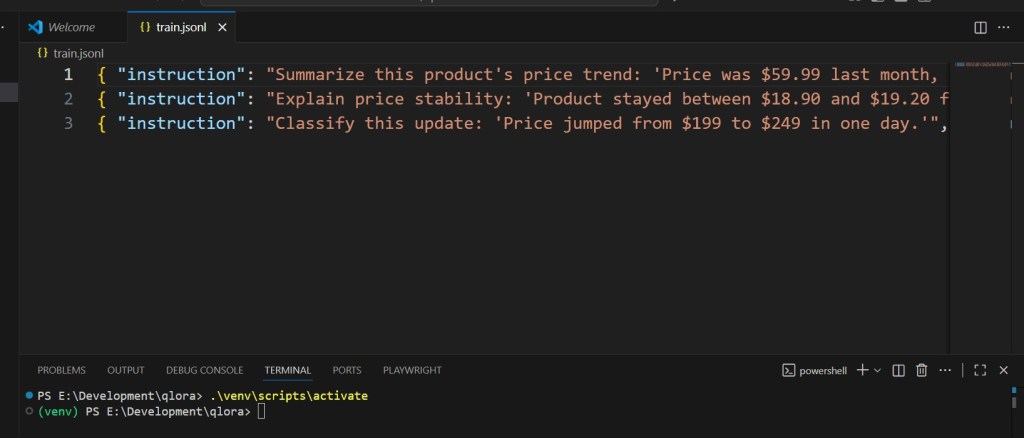
Each line = one instruction-response pair.
🧩 Step 3: Fine-Tune with QLoRA
from transformers import AutoTokenizer, AutoModelForCausalLM, TrainingArguments, Trainer
from peft import LoraConfig, get_peft_model, TaskType
from datasets import load_dataset

model_id = "TinyLlama/TinyLlama-1.1B-Chat-v1.0"
tok = AutoTokenizer.from_pretrained(model_id)
base = AutoModelForCausalLM.from_pretrained(model_id, load_in_4bit=True, device_map="auto")

lora_cfg = LoraConfig(task_type=TaskType.CAUSAL_LM, r=16, lora_alpha=32, target_modules=["q_proj","v_proj"])
model = get_peft_model(base, lora_cfg)

ds = load_dataset("json", data_files="train.jsonl")["train"]

def format(ex):
    prompt = f"### Instruction:\n{ex['instruction']}\n### Response:\n{ex['output']}"
    toked = tok(prompt, truncation=True, padding="max_length", max_length=512)
    toked["labels"] = toked["input_ids"].copy()
    return toked

train = ds.map(format, remove_columns=ds.column_names)

args = TrainingArguments(
    output_dir="out", per_device_train_batch_size=2,
    gradient_accumulation_steps=8, num_train_epochs=3,
    learning_rate=2e-4, fp16=True, logging_steps=10
)

Trainer(model=model, args=args, train_dataset=train).train()
model.save_pretrained("price-assistant-qlora")
💾 The file price-assistant-qlora now contains your domain-trained adapters.
Load them onto any machine and run locally — no API keys needed.
🧩 Step 4: Create a Query Function
from peft import PeftModel
from transformers import pipeline, AutoModelForCausalLM, AutoTokenizer

base = AutoModelForCausalLM.from_pretrained(model_id, device_map="auto")
model = PeftModel.from_pretrained(base, "price-assistant-qlora")
tok = AutoTokenizer.from_pretrained(model_id)

pipe = pipeline("text-generation", model=model, tokenizer=tok)

def ask_price_bot(query):
    result = pipe(query, max_new_tokens=100)[0]["generated_text"]
    return result

print(ask_price_bot("Summarize: 'Price fell from 89.99 to 72.49.'"))
✅ Output:
“The price dropped by about 19% — potential discount opportunity detected.”
⚡ Step 5: Integrate Into a Workflow
Now that your assistant runs locally, connect it anywhere:
- FastAPI endpoint (see Article #6)
- Streamlit dashboard
- Slack or Telegram bot
- Scheduled report generator
Your model becomes part of a living data workflow — analyzing and explaining in real time.
🧠 Why Domain-Specific SLMs Work
- Efficiency: You fine-tune only adapters, not the full model.
- Relevance: The assistant speaks your domain’s language.
- Privacy: Your data never leaves your environment.
- Repeatability: Train multiple models for different departments or clients.
In practice, a specialized 3 B-parameter model can outperform GPT-4 on tasks it was fine-tuned for.
🔮 The Next Step — Adaptive Assistants
Soon, SLMs won’t just be trained once — they’ll adapt continuously, learning from every document or user query.
Think of them as local copilots, improving over time inside your organization.
That’s the real promise of the Nano AI movement:
Smaller, faster, smarter — and truly yours.
 Nano Language Models