How to set up, quantize, and run small AI models locally without expensive GPUs.
🚀 Introduction — AI on Your Own Terms
For many people, the phrase “language model” still sounds like something that needs a data center and 8 A100 GPUs.
But with the new generation of small, optimized models, that’s no longer true.
You can now run a 1B-parameter model on your laptop, using free, open-source tools like llama.cpp, Ollama, or GGUF-format quantized models.
The age of local AI has arrived — no cloud, no API keys, no lag.
🧩 Step 1: What You’ll Need
Before you start, make sure you have:
- 🖥️ A laptop or desktop (8–16GB RAM recommended)
- 🧠 A CPU (M1/M2 Mac or modern Intel/AMD works fine)
- 💾 At least 6GB of free disk space
- 🐍 Python 3.10+ installed
Optional but useful:
- GPU support (NVIDIA CUDA or Apple Metal)
- A basic understanding of the command line
⚙️ Step 2: Choose Your Model
Popular open-source 1B–3B models include:
| Model | Parameters | File Size (Quantized) | Source |
|---|---|---|---|
| TinyLlama 1.1B | 1.1B | ~1.3GB | Hugging Face |
| Phi-3 Mini | 3.8B | ~2.3GB | Microsoft |
| Gemma 2B | 2B | ~1.8GB | |
| Mistral 2B | 2B | ~2.0GB | Mistral AI |
For this tutorial, let’s use TinyLlama, because it’s small, efficient, and beginner-friendly.
🧠 Step 3: Install llama.cpp
llama.cpp is a C++ inference engine that runs quantized models (in GGUF format) directly on CPUs.
Clone and build:
git clone https://github.com/ggerganov/llama.cpp
cd llama.cpp
make
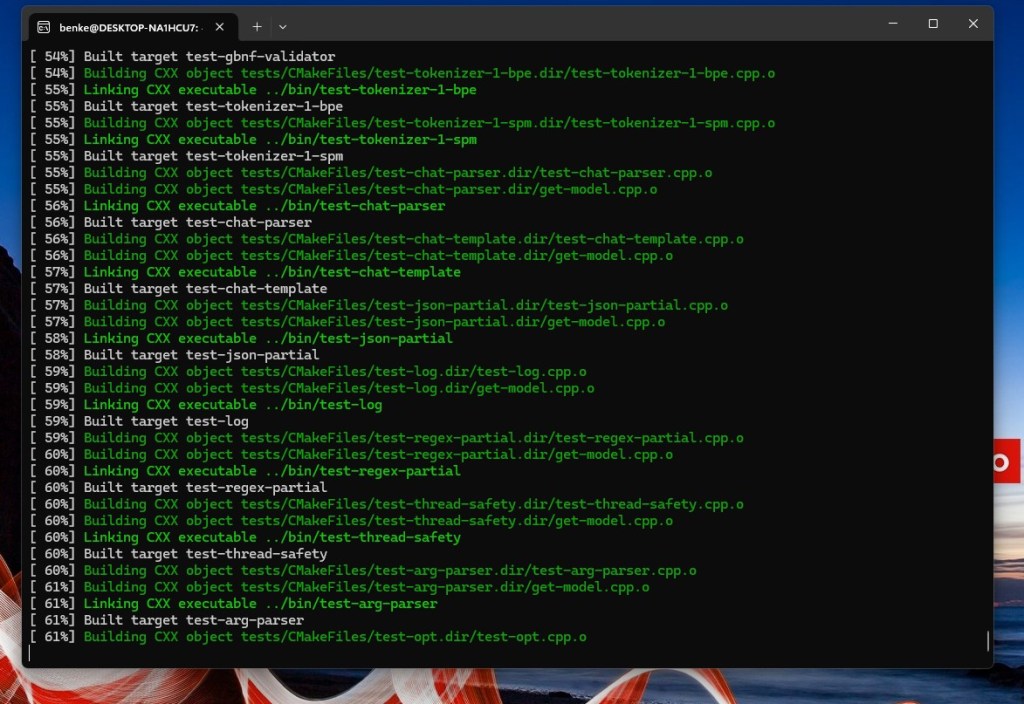
If you’re on Mac:
make LLAMA_METAL=1
If you’re on Windows, build via CMake or run the precompiled binaries from the repo’s releases section.
📦 Step 4: Download the Model
You can download a quantized TinyLlama file from Hugging Face:
wget https://huggingface.co/TinyLlama/TinyLlama-1.1B-Chat-v1.0-GGUF/resolve/main/tinyllama-1.1b-chat.q4_K_M.gguf
This file is optimized for 4-bit quantization — meaning the weights are smaller but still performant.
⚡ Step 5: Run the Model
Run an interactive chat session:
./main -m ./tinyllama-1.1b-chat.q4_K_M.gguf -p "Hello! What can you do?"
Expected output:
Hello! I can answer questions, write summaries, and help you with Python code — all locally on your device!
Your laptop just hosted a billion-parameter AI assistant. No API calls. No cloud latency.
🧮 Step 6: Integrate with Python
You can use the llama-cpp-python binding to run inference in scripts:
pip install llama-cpp-python
Example:
from llama_cpp import Llama

llm = Llama(model_path="./tinyllama-1.1b-chat.q4_K_M.gguf")
output = llm("Tell me a short story about a nano robot learning Python.")
print(output["choices"][0]["text"])
Within seconds, the model will generate coherent, local text — directly from your CPU.
🧰 Step 7: Try Ollama (Optional GUI Alternative)
If you prefer a simpler setup:
curl https://ollama.ai/install.sh | sh
Then run:
ollama run tinyllama
Ollama automatically handles model downloads, quantization, and GPU acceleration if available.
🔋 Step 8: Optimize Performance
Tips for smoother local inference:
- Use quantized versions (
q4,q5, orq8GGUF files) - Close unnecessary background apps
- Use Metal or CUDA acceleration if supported
- For repeated tasks, cache embeddings or responses
🧠 Step 9: What You Can Do Locally
Once your model is running, try:
- 🧮 Summarizing documents
- 💬 Chatbot interfaces
- 🧾 Code explanation or generation
- 📚 Text classification
- ⚙️ Integration with local scripts (via FastAPI or Streamlit)
Nano models make AI personal, private, and programmable.
🔮 Step 10: The Takeaway
A 1B-parameter model may sound small, but it’s incredibly capable.
Running one locally teaches you how AI inference really works — not just how to prompt an API.
Owning your model is the first step to owning your intelligence.
 Nano Language Models