This first article sets the stage — explaining what a Small Language Model (SLM) actually is, how it differs from LLMs, and what you’ll build in this tutorial series “Building a Small Language Model from Scratch in Python”.
Understanding the brains behind compact, efficient AI models — and how you can build one yourself in Python.
🚀 Introduction — The Era of Small, Smart Models
AI isn’t just getting smarter — it’s getting smaller.
Large Language Models (LLMs) like GPT-4 or Gemini boast hundreds of billions of parameters, but they’re expensive, private, and impossible to run locally.
In contrast, Small Language Models (SLMs) are compact, open, and personal.
They can run on a single GPU — or even a laptop CPU — while still performing remarkably well for writing, summarization, coding, and reasoning.
Think of an SLM as your own self-contained brain: not omniscient, but brilliant within its limits.
🧩 Step 1: What Exactly Is a Small Language Model?
A language model predicts the next word (or token) given previous ones.
If you type:
“Artificial intelligence is…”
a model might predict “revolutionizing” or “transforming.”
That’s the fundamental mechanism — sequence prediction.
An SLM is simply a smaller neural network that performs this task with fewer parameters (say, 50M–3B) instead of hundreds of billions.
| Type | Parameters | Typical Use | Runs On |
|---|---|---|---|
| LLM (e.g. GPT-4) | 100B–1T | Cloud inference | Datacenter GPUs |
| SLM (e.g. Phi-3 Mini, TinyLlama) | 1B–4B | Local inference | Laptop / Jetson / Edge device |
They use the same architecture — Transformers — but with fewer layers, smaller embeddings, and lightweight training data.
⚙️ Step 2: How Does a Language Model Work?
At its core, an SLM is a Transformer network that:
- Tokenizes text into numerical IDs
- Embeds those IDs into vectors
- Processes them through layers of attention and feed-forward blocks
- Predicts the next token using probability distributions
Minimal pseudocode:
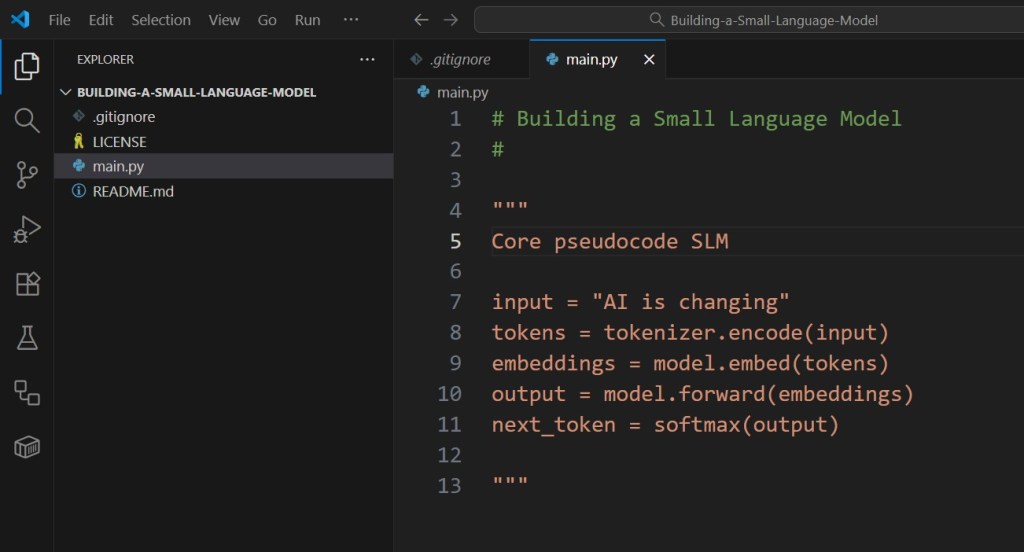
That’s the essence — predicting the next piece of text.
Training teaches it what sequences make sense.
🧠 Step 3: Why Build One Yourself?
By constructing your own SLM from scratch, you’ll understand every component:
- Tokenization — how text becomes numbers
- Attention — how the model “focuses” on relevant context
- Training — how it learns from raw text
- Sampling — how it generates coherent sentences
Building this in Python (with PyTorch) gives you hands-on experience with the same principles behind GPT-4 — only scaled down.
⚡ Step 4: What You’ll Build in This Series
Over the coming articles, you’ll go from raw text to a fully functional mini Transformer, capable of generating sentences on its own.
| Stage | Goal | Python Concepts |
|---|---|---|
| 1. Data Preparation | Clean and tokenize text | I/O, BPE encoding |
| 2. Model Architecture | Build a Transformer block | PyTorch, nn.Module |
| 3. Training | Predict next tokens | CrossEntropyLoss |
| 4. Evaluation | Measure perplexity | Matplotlib, NumPy |
| 5. Inference | Generate text | Sampling & decoding |
By the end, you’ll have a working small-scale GPT-like model — trained from scratch.
🧮 Step 5: Why Small Models Matter
SLMs aren’t toys.
They’re powering:
- Edge AI devices
- Private copilots
- Offline reasoning agents
- Educational chatbots
- Autonomous robotics and IoT
A single 2-billion-parameter model can now rival GPT-3 in fluency while running locally.
Small models = freedom + performance + privacy.
🔋 Step 6: Setting Up Your Python Environment
Before the next tutorial, prepare your development setup:
python -m venv slm_env
.\slm_env\Scripts\activate
pip install torch numpy tqdm matplotlib datasets
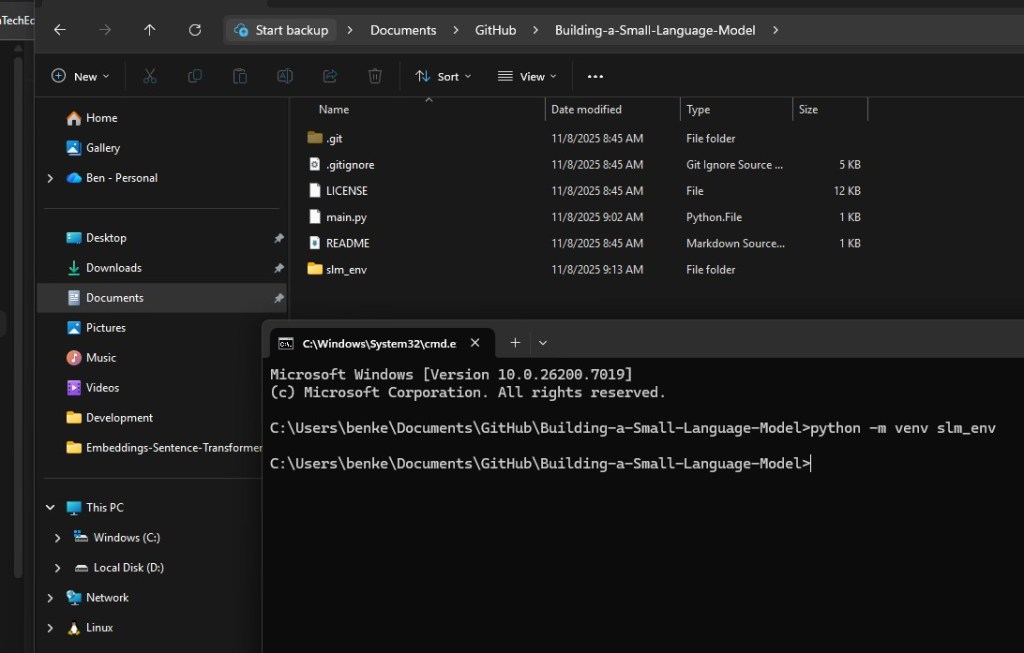
Next step is to activate the Python virtual environment:

Next step is to install the necessary Python libraries:
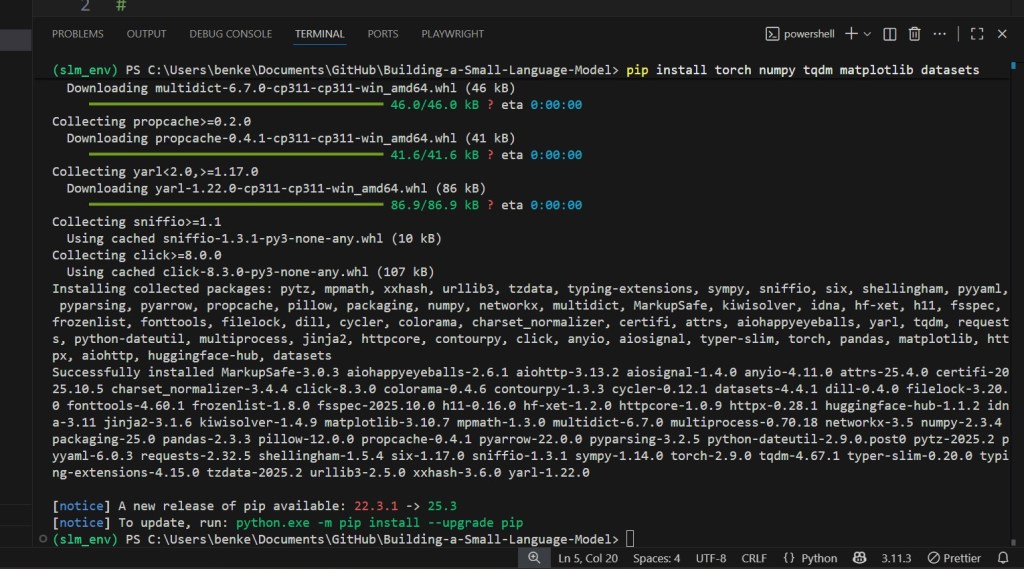
Optional tools:
pip install transformers sentencepiece

Check your GPU (optional but recommended):
python -m torch.utils.collect_env
I am skipping this step due to lack of GPU in my machine.
You’ll be ready to start coding the tokenizer and dataset loader in Part 2.
🔮 Step 7: The Road Ahead
In the next article, we’ll collect and clean text data — the raw material for your model’s “knowledge.”
You’ll learn:
- How to download open datasets (TinyStories, Wikitext)
- How to normalize and chunk text
- How to prepare tokenized sequences for model input
Your first step toward building your own Transformer brain starts there.
Follow NanoLanguageModels.com to continue the full “Build a Small Language Model from Scratch” series — next up: Collecting and Cleaning Your Dataset. ⚙️
 Nano Language Models